
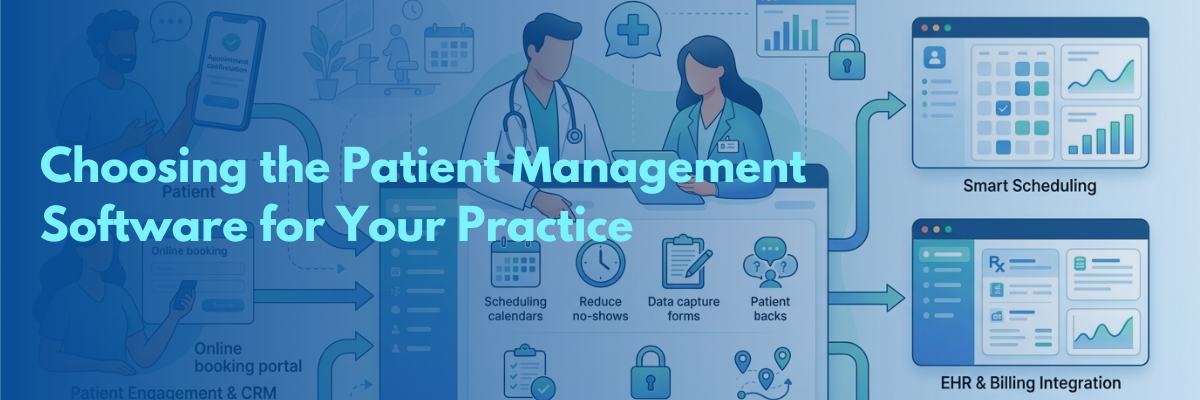
Patient Management Software: How to Choose the Right One for Your Practice
Choosing the right patient management software is essential for improving efficiency, reducing administrative workload, and enhancing patient experiences. This guide explains the key features to consider, including AI-powered automation, smart scheduling, patient communication, HIPAA compliance, and seamless EHR integration. It also outlines practical steps for evaluating software based on your practice’s unique needs, scalability, and long-term growth. By adopting a modern patient management solution like Curefy, healthcare providers can reduce no-shows, automate routine tasks, streamline workflows, and strengthen patient engagement, allowing medical teams to spend less time on administration and more time delivering high-quality patient care.
Running a modern medical practice can feel like operating two different businesses simultaneously. One is the clinic: your passionate pursuit of medicine itself. The other is the administrative grind: scheduling backlog management, reduction of missed appointments, patient data capture, and ensuring compliance.
As patients now expect to book appointments and communicate instantly digitally, legacy EHR systems and spreadsheets just won’t cut it. Patient management software provides the answer.
Whether you manage a one-physician practice, a specialty center or an entire hospital, selecting the right patient management system is vital. Choosing a solution that empowers your operations, alleviates administrative burden, and helps your practice thrive rather than merely survive is critical.
What Is Patient Management Software?
Patient management software is a digital system that helps to streamline administrative tasks, manage patient engagement, and facilitate operational pathways (it’s often incorporated with or simply referred to as medical crm.) While a standard EHR records a patient's clinical records and medical history, patient management technology becomes the operational brain of your practice. It is designed to handle everything before, between, and after a patient’s appointment-think automated appointment reminders, intake forms, communication and more:
-
Automated scheduling with follow ups and recalls
-
Digital patient registration forms
-
Multi-channel patient communication - calls, text (SMS), email, (Voice AI)
-
Tracking of patient intake for clinic, in-office, surgical or home visit
-
Payment capture tools and scheduling software
Essential Features to Look for in Modern Practice Management Software
Not all platforms offer the same depth. When evaluating your options, ensure the software covers these foundational capabilities:
|
Core Feature Category |
Key Functional Requirement |
Impact on Practice |
|
Patient Engagement & CRM |
Multi-channel automated reminders, smart follow-up triggers |
Reduces no-shows by up to 80% |
|
Smart Scheduling |
Online booking portals, automated waitlists, calendar syncing |
Fills open slots without front-desk manual work |
|
Data Security & Compliance |
HIPAA compliance, SOC 2 certification, end-to-end encryption |
Protects practice from data breach liabilities |
|
EHR & Billing Integration |
2-way data syncing with EHRs, instant invoicing |
Eliminates duplicate data entry and speeds up collections |
|
AI Workflows & Scribes |
AI-driven task automation, natural language processing |
Reduces manual admin load by up to 80% |
Key Steps: How to Choose the Right Software for Your Practice
1. Determine Your Biggest Operational Pain Points
First, before scheduling demonstrations, diagnose where your team is losing the most time. Is there significant administrative work related to appointment booking or cancellations? Is the practice losing patients because there’s no system for following up with those who don’t book initial appointments?
Or does post-visit care tracking - like post-op patients - slip through the cracks?
Identifying a clear pain point allows you to pinpoint solutions that specifically address your organization’s needs and avoid unnecessary software.
2. Prioritize AI-Powered Practice Management Features
The biggest evolution in healthcare administration is the rise of AI-powered practice management software. AI is no longer a gimmick, it actively cuts staff workload by taking over repetitive tasks.
Look for features such as:
-
Voice AI and Smart Chatbots: Handle inbound calls, answer FAQs, and book consultations 24/7.
-
AI Follow-Up Triggers: Send personalized post-treatment instructions or recall alerts based on clinical rules.
-
Intelligent Intake: Capture and auto-file patient details without human data entry.
3. Verify HIPAA and Regulatory Compliance
For patient data to be protected, software solutions must align with current regulations like the Healthcare Insurance Portability and Accountability Act (HIPAA),SOC2 certification and have robust, bank-grade security. For practices dealing with multiple locations or serving patients in different jurisdictions, also check if solutions can meet applicable cross-border health and data standards.
4. Ensure It’s Scalable: Hospital-Level Software or Solo Practice Friendly?
How do you intend your practice to grow and what size of practice are you? Is the system you need hospital patient tracking with comprehensive workflow across multiple departments or simply some front-office automation tools to better handle scheduling and messaging for a solo clinic? The right system supports immediate need and adapts as needed by the facility, hospital group, specialist clinic or solo professional. We consider everything you use in front of clinical operations and beyond.
Why Modern Practices Turn to Curefy.app
When selecting software, choosing an unified platform beats stitching together five different point solutions. Curefy.app bridges the gap between patient management, healthcare CRM capabilities, and workflow automation.
Designed for doctors, specialized clinics, and health systems globally, Curefy transforms practice operations:
-
Eliminate Administrative Workload: Reduce manual staff work by up to 80% using automated SMS, email, and voice reminders.
-
Slash No-Show Rates: Dynamic scheduling and personalized engagement keep your appointment calendar full.
-
AI-Powered CRM: Manage patient inquiries, intake forms, and long-term care plans inside a single HIPAA-compliant interface.
-
Expand Your Practice Horizon: Tap into Curefy’s global patient network and cross-border referral tracking tools to build new revenue streams.
Frequently Asked Questions
1What’s the fundamental difference between EHR (Electronic Health Record) and a medical CRM?
An Electronic Health Record (EHR) focuses on clinical documentation, treatment histories, and medical records. A medical CRM / patient management software focuses on the patient relationship-managing communication, intake, scheduling, follow-ups, and engagement throughout the care journey.
2How can I reduce my practice’s overhead costs with practice management software with Artificial Intelligence(AI)?
AI-powered practice management software cuts down administrative expenses by eliminating time on tasks that can be automated, like handling appointment scheduling - not just simple appointment bookers but the automation of appointment confirmations with a message system - post-visit communications, patient data collection during their intake.
3Is it possible for a new patient management system to smoothly integrate with my existing workflow and other medical software?
Yes. Platforms like Curefy are built to integrate smoothly into existing clinical environments, unifying scheduling, patient communication, and documentation without disrupting your current operations.