

5 Best Medical Billing Software for Healthcare Providers in 2026
One of the most painstaking tasks for healthcare providers is the billing and payment. So far, providers have been using manual billing and payment methods, following up with the patients for completing payment and verifying insurance details before their appointments. Medical billing software like the ones discussed in this blog have made their lives easier.
From automating payments reminders to helping verify insurance before a patient visits, there's a lot that such software are achieving. Read on till the end to know all about it.
Medical billing software has become one of the most important tools for modern healthcare providers. It is present at the center of the revenue cycle, helping practices turn clinical interactions into timely payments and accurate statements.
For multi-location facilities, specialty practices and small clinics particularly, the right platform can make the difference. The following sections will take you through the different aspects of medical billing software for healthcare providers, the features you should prioritizes and how to choose the best solution for your practice.
What is a Medical Billing Software?
A medical billing software is a digital system that helps manage the financial side of patient care. It seamlessly connects payments, clinical documentation, and claims into a single workflow that can help bill every patient visit correctly. This helps your practice track every dollar without the need of several excel sheets.
Several organizations use billing tools as part of a broader platform (integrated CRM, EHR) that includes practice management features such as patient registration and scheduling.
Other practices use standalone billing system that integrates with their existing EHR. Both approaches are effective as long as there is a smooth flow of data from clinical notes to claims.
Another key aspect of the best medical billing software for healthcare providers is the way it is installed and used by the practice. On-premise software is installed as an app on your practice’s systems and is managed by the in-house IT team. On the other hand, cloud-based billing software is taken care of by the vendor and accessed through a web browser (e.g., Google.)
Most new software on the market are cloud-based, making updates, security and remote access easier for healthcare practices. This is especially helpful for multi-location practices or billing companies serving several clients.
Key Features You Should Look For
As you’ll see later in the blog, not all billing systems are created equally. When you analyze options for your prractice, focus on the functionality rather than the brand names as this software will make your day-to-day work easier for your team.
Here are the important features of medical billing software:
-
Claim creation and submission: The system should be able to generate claims directly from the documented services (prescription, clinical notes, patient data entry etc.) It should also support electronic data interchange, connecting to clearing houses so that claims go out quickly and without human interference.
-
Eligibility verification and benefits checking: Real-time insurance eligibility tools help your front-desk staff to confirm coverage before a visit, reducing any surprises for your patients. This also reduces claim denials due to inactive insurance or incorrect plan details.
-
Automated claim and denial management: Good billing software checks claims against payer rules, required fields and coding logic before submission. Denials that still occur should flow into a clear work queue so staff can correct and resubmit them.
-
Coding support and compliance: Built-in libraries for ICD-10, CPT and HCPCS codes with prompts and edits so that it is easier for your staff to select right codes. Some systems even come with AI-assisted coding based on clinical documentation which reduces missed charges and compliance risks.
-
Reporting and analytics: Customizable reports and dashboards that show key performance indicators such as days in accounts receivable, first-pass acceptance rate, denial rate, net collection percentage and payer mix. This helps administrators spot bottlenecks and optimize processes effectively.
-
Patient billing and payments: Patient-facing features like online statements, automated reminders and payment portals can help improve the collection rates. Look for support for payments plans, card-on-file, text or email notification.
-
Integration and interoperability: The software must connect smoothly with your existing EHR, scheduling and telehealth or patient engagement softwares. Seamless integration will reduce duplicate records and errors.
-
Security and compliance: Billing data contains protected health information (PHI) so the platform must meet strict security requirements. Look for encryption, audit logs, strong authentication, role-based access controls along with the evidence of HIPAA-aligned practices.
How to Choose the Best Medical Billing Software for Your Practice
The best medical billing software is the one that fits your workflow, staffing and specialty. Apart from looking for all the features listed above, use the following factors to guide your decision:
-
Practice size and structure: Small and solo practices benefit from intuitive, all-in-one systems that combine EHR, billing and scheduling into a single interface. Larger groups or hospital-owned practices may go for more configurable platforms with robust analytics, multi-location support and advanced role management.
-
Specialty requirements: Some specialties such as oncology, behvaioral health, physical therapy or orthopedics have unique coding and documentation patterns. A complete billing solution with prebuilt templates and rules will help your practice thrive by reducing denials and speed up coding.
-
In-house vs outsourced billing: If your practice does billing in-house, usability and wokflow design are critical as yoru staff will use the system every day. If you work with an outsourced revenue cycle management partner, you may use their platform. In such a case, transparency and collaborative nature are of importance.
-
Budget and pricing: Vendors typically set the price per provider per month, per user or as percentage of collections for their full services. Look beyond the sticker price and ask about the additional fees - setup fees, training, data migration, support tiers and clearinghouse charges. This will help you understand total cost of ownership.
-
Implementation and training: Even the best software fails without a good rollout plan. Ask how long implementation would take for an organization like yours, what resources are necessary from your team and what training formats (live, on-demand, documentation) are available from them.
5 Best Medical Billing Software for Healthcare Providers
The medical billing market is crowded but there are several products that consistently appear on shorlists for practices in the US and other healthcare systems. Here's a quick look:
Medical Billing Software Comparison
Compare features, pricing, and benefits to find the right solution for your practice
💡 Tip: Consider your practice size, budget, and required features when choosing software. Most vendors offer demos or free trials - test before committing to ensure the platform fits your workflow.
The following list comprehensively introduces you to the top 5 tools for managing patient payments and billing workflows:
1. Curefy
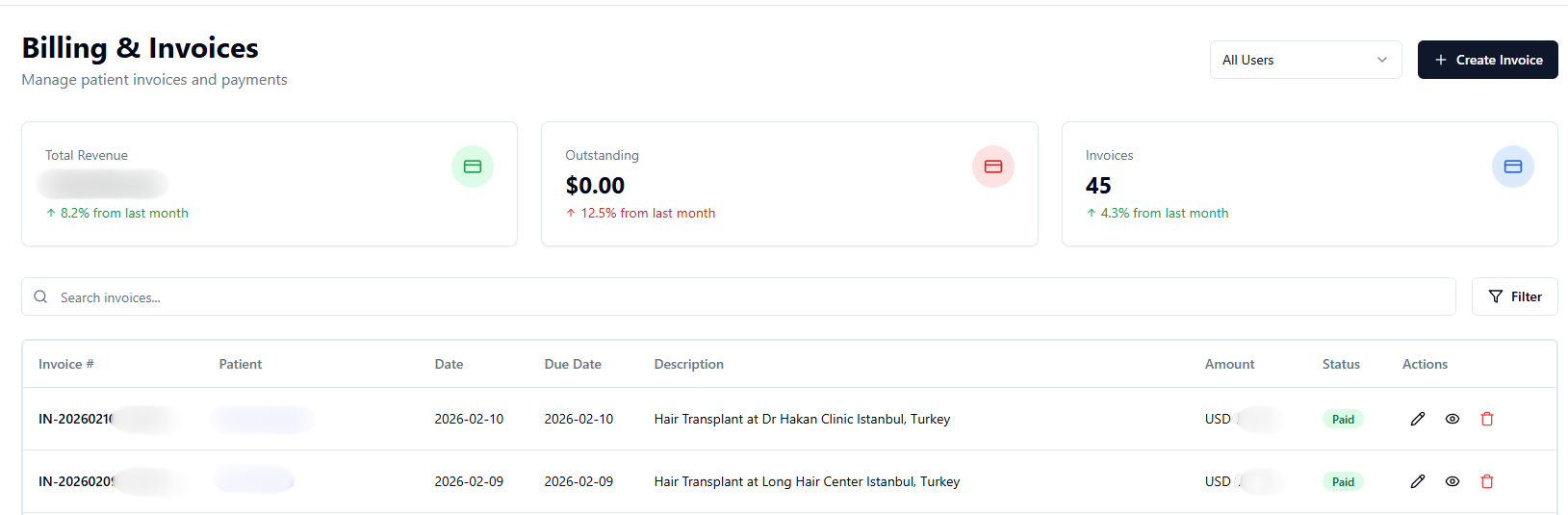
Curefy is an all-in-one AI patient billing software that provides scalable, cloud-based solutions designed for healthcare practices no matter small, mid-sized or large. Curefy improves billing processes with the power of AI and accelerates payment collection and operational efficiency.
It has an affordable pricing structure (plans start at $99 after one month free trial.) It integrates HIPAA-compliant healthcare CRM features with billing and payment software which is perfect for a practice in the current age of automation.
Curefy offers:
-
All-in-one features combining billing with EHR, telehealth and patient tools on one platform
-
HIPAA-, SOC-2 compliant cloud-based data management for a secure, continued patient data handling.
-
AI automated billing software that processes and speeds up claim submission and reimbursements.
-
Automated invoice generation that turns visits and insurance data ito accurate, ready-to-send invoices with zero manual entry.
-
Real-time revenue dashboard that gives you a complete view in a single click for seamless monitoring and forecasting.
-
Professional PDF invoice with custom branding, detailed tax calculations and compliance with billing standards and regulations.
-
Multiple-level billing support that lets you handle complex insurances, co-pay and multi-provider billing without losing accuracy or speed.
-
Automatic, multi-channel payment reminders (SMS, email, WhatsApp) to help your patients stay ahead of their payments. You also get smart scheduling of tailored payment reminders for your patients.
-
Role-based access control for maximum security and data protection.
-
Complete support from picking the best plans to setup and data migration.
Curefy is the best software for managing healthcare practice revenue cycle workflows with users coming back after their free trial for the flexibility and loaded features.


2. Athenahealth
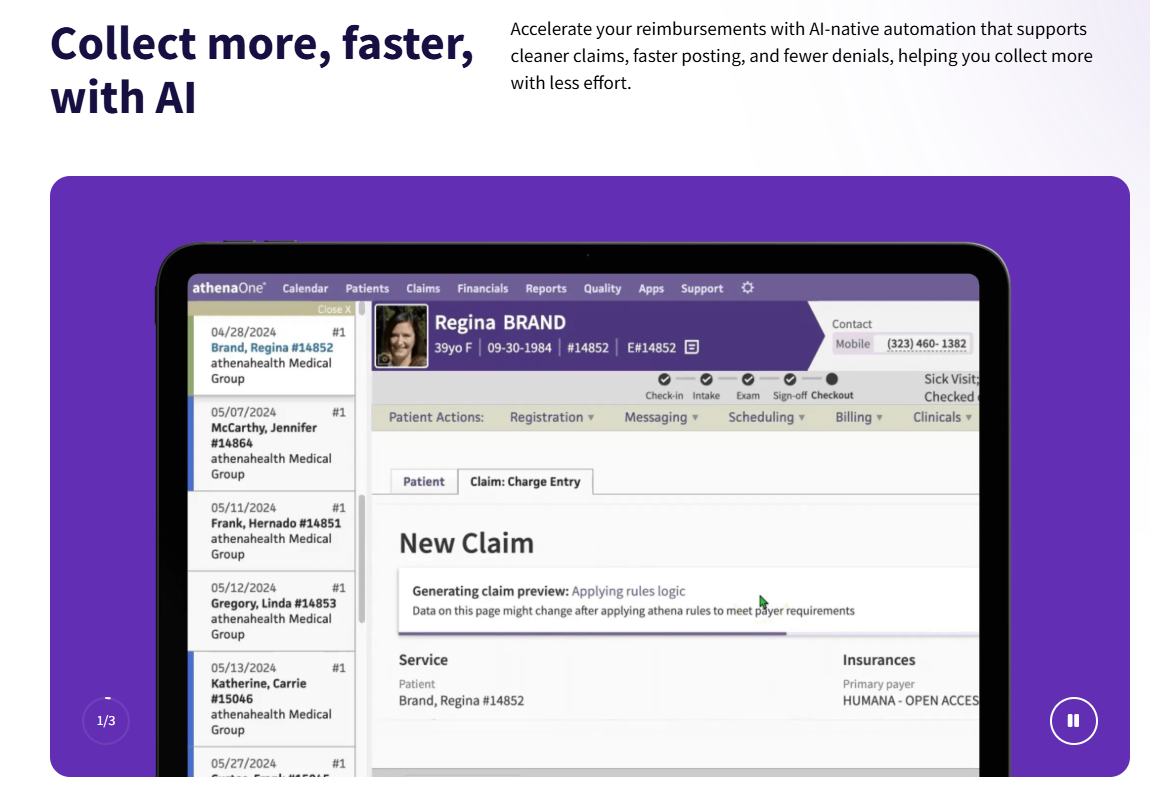
Athenahealth’s billing software makes it easier to manage claims, coding and payments. It checks claims for errors, follows up on unpaid billings and help you get faster. It also works smoothlywith their EHR and other tools so you get visibility in one place.
Athenahealth provides:
-
Cloud-based accessibility which allows your practice to access patient data from any location with an internet connection.
-
Integrated billing and practice management
-
Advanced features which may be suitable for bigger practices
-
Consultation services for optimizing operations
-
Customizable reports and analyrtics for tracking financial performance.
-
Strong insurance claims and billing support.
Athenahealth may be costly for small enterprises as its billing and practice management services can be expensive. In addition, some enterprises may find its user interface less interactive.
3. Tebra
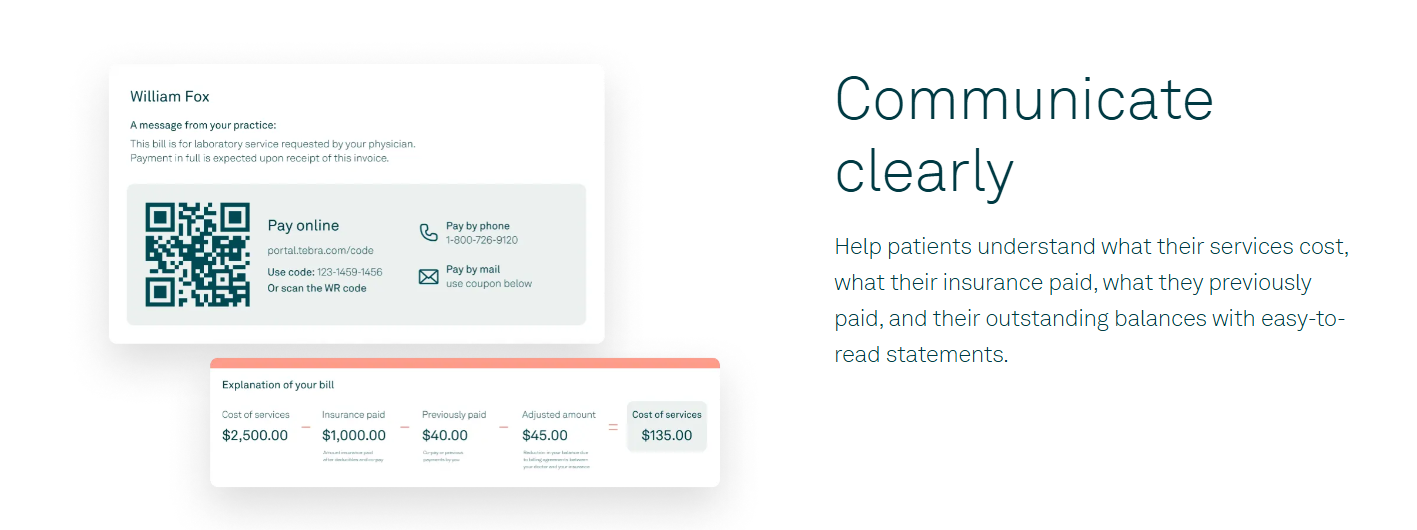
An EHR platform that helps medical practices manage everything in one place. Tebra makes billing and payments easier y combining practice management, insurance checks, claims handling and patient payments.
Tebra provides:
-
All-in-one features such as billing, EHR, telehealth and patient tools.
-
Cloud-based access for seamless data access and flexibility.
-
Easy to use with intuitive design, making it easier for the staff to navigate.
-
Custom templates and shortcuts that help speed up charting and scheduling.
Practices usually like Tebra, but there are frequent glitches which disrupt workflow, slow and unhelpful customer service.
4. CareCloud
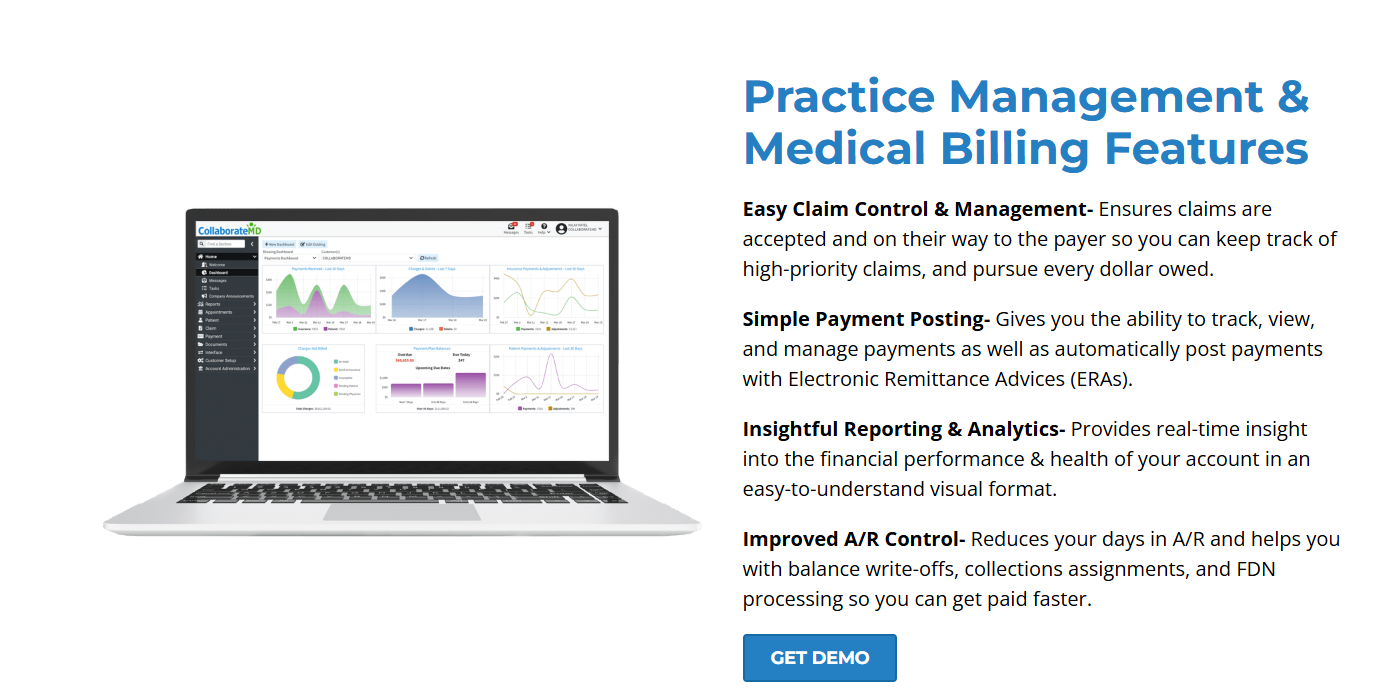
A comprehensive, cloud-based medical illing software that enhances reimbursement cycle for medical practices. CareCloud is particularly beneficial for the healthcare industry as it addresses specific challenges and aims to improve patient care. It also streamlines services.
CareCloud offers:
-
Automation which speeds up billing and payments while reducing errors.
-
Clear financial reports that helps with smarter financial decisions.
-
Automates revenue tasks to keep finances on track.
-
Transparent, monthly pricing which makes budgeting easier.
-
All-in-one management which combines practice management with billing.
-
Easy scheduling with drag-and-drop calendar which makes patient scheduling easier.
CareCloud is a good option for practices looking for alternatives to Tebra, but its long contracts (1-year commitment or more), extended learning curve and high cost makes people think twice before choosing it.
5. MedCare MSO
MedCare MSO provides a scalable medical billing software made for small to large-sized organizations. MedCare MSO offers:
-
Cloud-based data management for quick access with security for patient and practice data.
-
Automated billing process which reduces coding errors and speeds up claim submissions for faster reimbursements.
-
Automates insurance eligibility checks before appointments reducing claim denials.
-
Automates denial resolution and streamlines accounts receivables that improves flow and reduces write-offs.
MedCare MSO is preferred by enterprises looking for standalone billing solutions as it does not have an integrated EHR.
That concludes the list of top 5 medical billing software that can help healthcare practices make the most of their business hours without exhausting human effort. Experienced practices may run into trouble with billing but with these options, your practice sees a boost in productivity and efficiency.
Some options may take longer to setup or get used to, but some options like Curefy can give your practice a boost from the get-go with their robust customer support.
Get in touch today to set up your account and try Curefy’s AI billing free for one month!
Frequently Asked Questions
1Which is the best medical billing software for small practices?
Many small practices choose user-friendly choices like Curefy, CareCloud and AthenaHealth as they work well and combine core billing functions with easy-to-use interfaces and modest setup requirements.
2How much does medical billing software cost?
Software pricing ranges from $50 to several hundred dollars per provider per month depending on the features, number of users and whether you add just billing features or a full suite.
3Are cloud-based medical billing software secure?
Yes, reputable vendors like Curefy use encryption, role-based access controls and regular security audits for data protection.
4Can medical billing software handling telehealth services?
Most modern platforms like Curefy, Tebra, and Athenahealth support telehealth billing codes and modifiers especially if they have integrated features. Confirm the required workflows and features during demo.